OrbiCloud Logo OrbiCloud
Logo
Data sovereignty, built in

Engineering critical infrastructure, the Open Source way

Sovereign Workspace & AI

OrbiWorkspace brings documents, files, sign-in and an AI assistant together in one suite that runs on your own servers. Built for public institutions and regulated companies, in Arabic, French and English.

Launch news

Follow the launch

On-premises العربية · Français · English

The suite

Four building blocks, one sovereign suite

Every app shares the same sign-in, the same security model and the same servers: yours.

Write together

OrbiDocs

A collaborative document editor that feels like the word processor your teams already know, with real pages, clean printing and Word files that stay Word files.

  • Real-time co-editing with live cursors
  • Comments, mentions and reactions
  • Opens and saves Word files, exports to PDF and ODT
  • Version history and a recoverable trash
  • Ready-made templates for HR, contracts and legal
Store, share, sync

OrbiDrive

Secure file storage for every team, with sharing you control, apps for every device, and Word documents you edit right in the browser.

  • Personal and project spaces with quotas
  • Sharing with colleagues and partners, with fine-grained roles
  • Password-protected links with expiry dates
  • Sync apps for Windows, macOS, Linux, Android and iOS
  • Full-text search inside your files
  • Versions, trash and restore, and ownership transfer when people leave

One identity

OrbiAuth

A single, hardened identity platform for the whole suite, connected to the directory you already run.

  • Single sign-on across every app
  • Multi-factor authentication with authenticator apps and security keys
  • Active Directory and LDAP integration
  • Role-based access, app by app
  • Instant revocation of a user's sessions
  • Strong password policy and brute-force protection

Knows your organisation

Sovereign AI

An AI assistant that works from your organisation's own documents and files. Run it on a model hosted in your infrastructure, or connect the AI provider of your choice: the decision is yours.

  • Answers questions from your documents, with links to the sources
  • Drafts letters, decisions and reports in your house style
  • Summarises long files and pulls out decisions and deadlines
  • Translates and corrects in Arabic, French and English
  • Only uses what each user is already allowed to open
  • Self-hosted model or third-party provider, set by your administrators
Arabic-first

Built for Arabic from the first line

Most office suites treat Arabic as an afterthought. OrbiWorkspace is designed for organisations that work in Arabic every day, alongside English or French, often in the same document.

Three complete interfaces

Arabic, French and English across every app, chosen by each user.

True right-to-left

Menus, toolbars and panels mirror properly in Arabic, not just the text.

Mixed-language documents

Each paragraph takes its own direction, so Arabic sits beside English or French in one document.

Arabic fonts included

Quality Arabic typefaces ship with the suite and load from your servers, never from a foreign font service.

Decision 12-2026.docx

قرار رقم 12 لسنة 2026

يُكلَّف مدير الموارد البشرية بتنفيذ هذا القرار، ويُعمل به اعتبارًا من تاريخ صدوره، ويُبلَّغ إلى جميع الجهات المعنية.

This decision is issued in Arabic and English; both versions are equally authentic.

Arabic and English in one document, each paragraph in its own direction.
Templates

Start from documents your teams already use

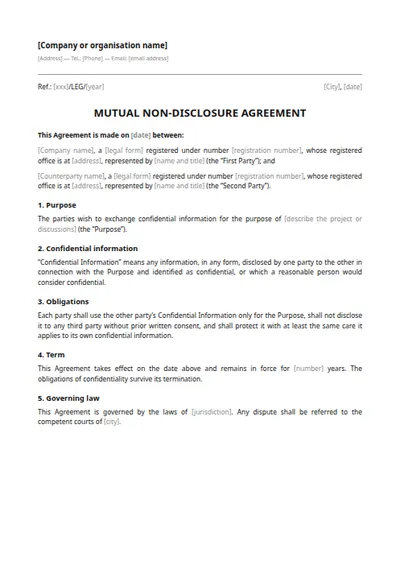
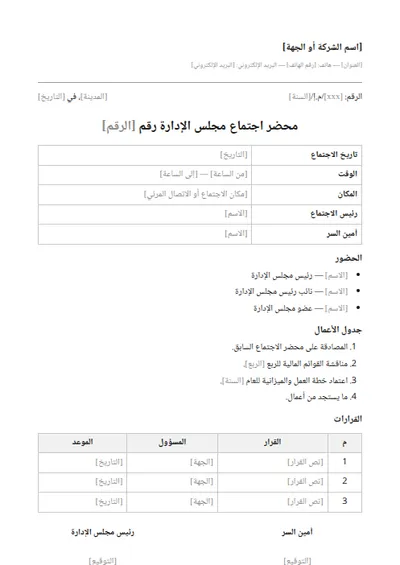
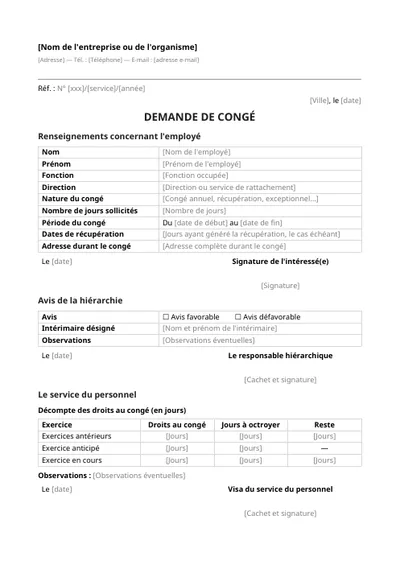
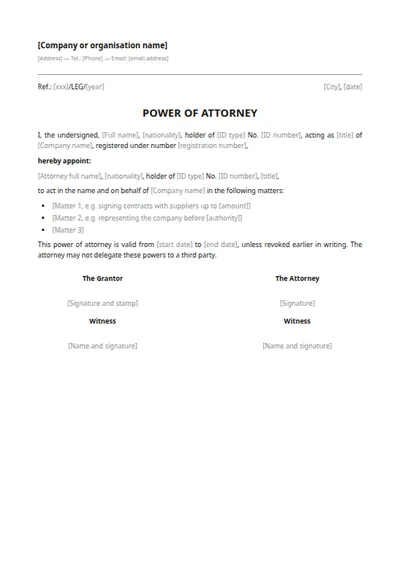
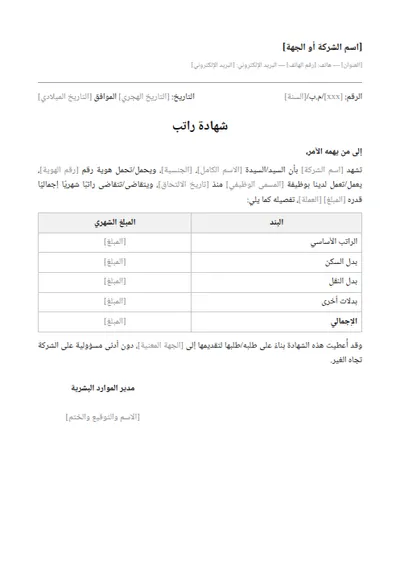
OrbiDocs comes with ready-to-fill templates in Arabic, French and English. Your administrators can add your organisation's own.

  • Human resources العربية
    Salary certificate
  • Human resources Français
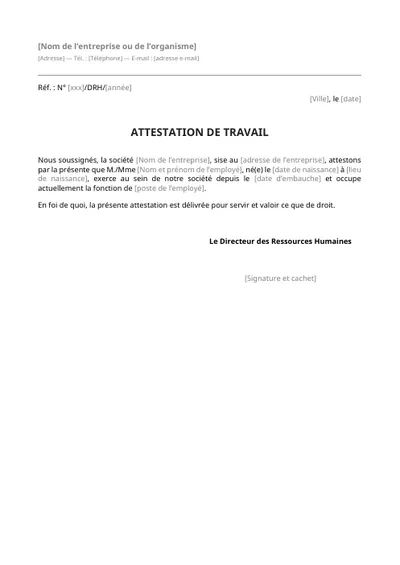
    Work certificate
  • Human resources English
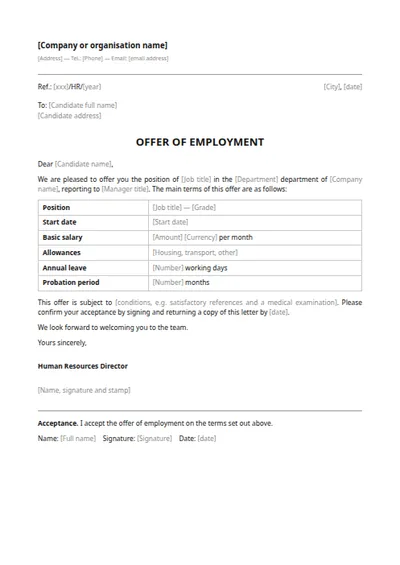
    Job offer letter
  • Contracts العربية
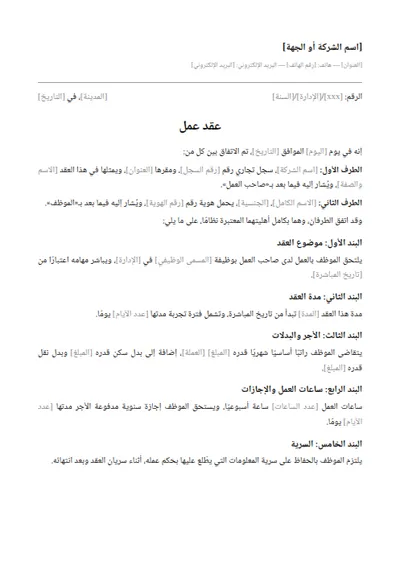
    Employment contract
  • Human resources Français
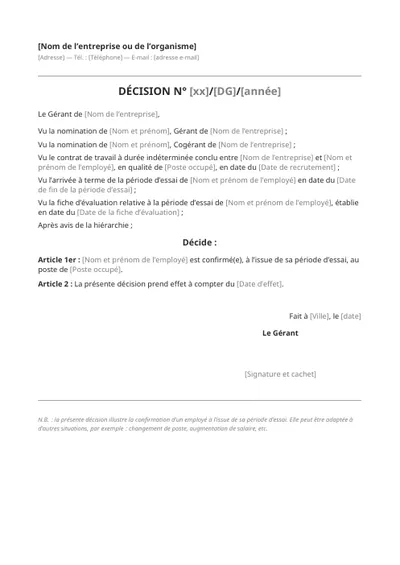
    Decision
  • Contracts English
    Non-disclosure agreement
  • Legal العربية
    Board meeting minutes
  • Human resources Français
    Leave request
  • Legal English
    Power of attorney
  • Finance & accounting العربية
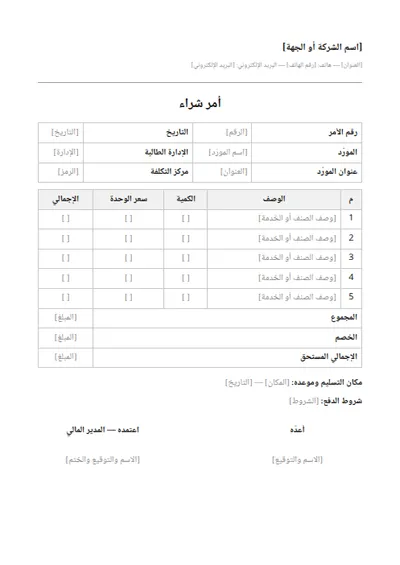
    Purchase order
  • Human resources Français
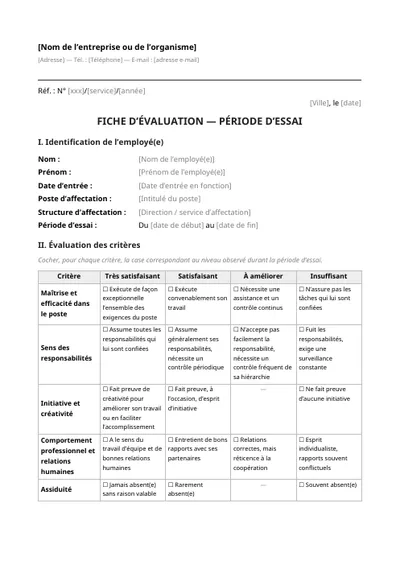
    Evaluation form
  • Finance & accounting English
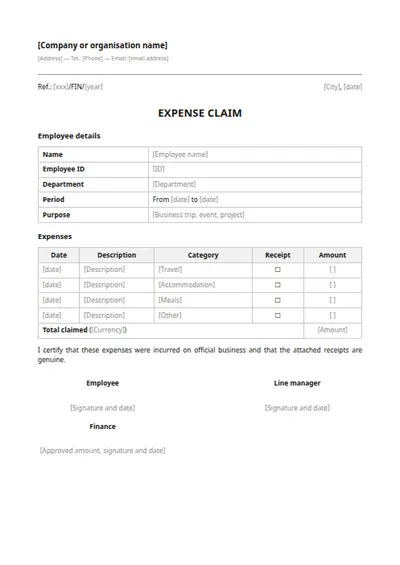
    Expense claim
Security & compliance

Security your CISO can verify

Every layer is hardened, logged and monitored, on infrastructure you control. Nothing depends on trusting a foreign provider.

Encryption

  • TLS 1.3 on every connection
  • Data encrypted at rest
  • Encryption keys stay on your infrastructure

Protection

  • Antivirus scan of every upload
  • Servers hardened to CIS Level 2 benchmarks
  • Least-privilege, rootless containers
  • Brute-force protection and account lockout

Audit & monitoring

  • Full audit trail of sign-ins, access and sharing
  • Centralised logs, shipped off each server over encrypted channels
  • Grafana dashboards for security and performance
  • Alerts on failed backups and expiring certificates

Governance

  • Retention policies and legal hold
  • Watermarking and view-only rooms for confidential files
  • Electronic signature of documents
  • Automated backups with configurable retention

Designed to help you meet your country's personal data protection law: your data stays in your infrastructure, every operation is logged, and nothing is transferred abroad without your decision.

Sovereignty

Who can access your data? Only you.

Sovereignty is not only about where the servers are. It is about who can be compelled to hand data over, and who holds the keys. With OrbiWorkspace, the answer is your organisation.

Your servers, your jurisdiction

The whole suite runs in your own data centre, so your data answers to your country's laws, not to foreign cloud legislation.

No back door

No vendor console and no remote access by OrbitX, unless you open a support session yourself.

No calls home

No telemetry, no foreign CDN, no external fonts. The apps talk only to your own servers, and to an external AI provider only if you choose one.

Your keys, your model

Encryption keys stay on your infrastructure, and your administrators decide which AI model runs and where.

Open source, auditable

Built on proven open-source software that your teams, or an auditor of your choice, can inspect line by line.

No lock-in

Standard formats (Word, ODT, PDF) and standard protocols. Your data leaves with you whenever you want.

Two ways to deploy

On-premises

Installed on your own servers or private cloud, by our engineers or yours, with automated and repeatable tooling.

  • Your hardware, your data centre
  • Connected to your existing directory
  • Updates applied on your schedule

Isolated network

For sensitive environments, the suite runs inside a closed network and needs no internet connection for daily operation.

  • No internet traffic in daily use
  • Local AI model, no external service
  • Updates brought in under your control
Getting started

From pilot to rollout, without disruption

Switching tools is the risky part, so we do it step by step, alongside what you already run.

  1. 1

    Pilot on your servers

    We install OrbiWorkspace for one team, connected to your directory, with success criteria agreed upfront.

  2. 2

    Run side by side

    Your current tools keep working. Word files open as they are, and users sign in with the accounts they already have.

  3. 3

    Roll out by department

    We migrate files and bring teams on board one at a time, with hands-on training for users and administrators.

  4. 4

    Operate with confidence

    Updates, security patches and support from our engineers, with continuous monitoring of the platform.

How we work with you

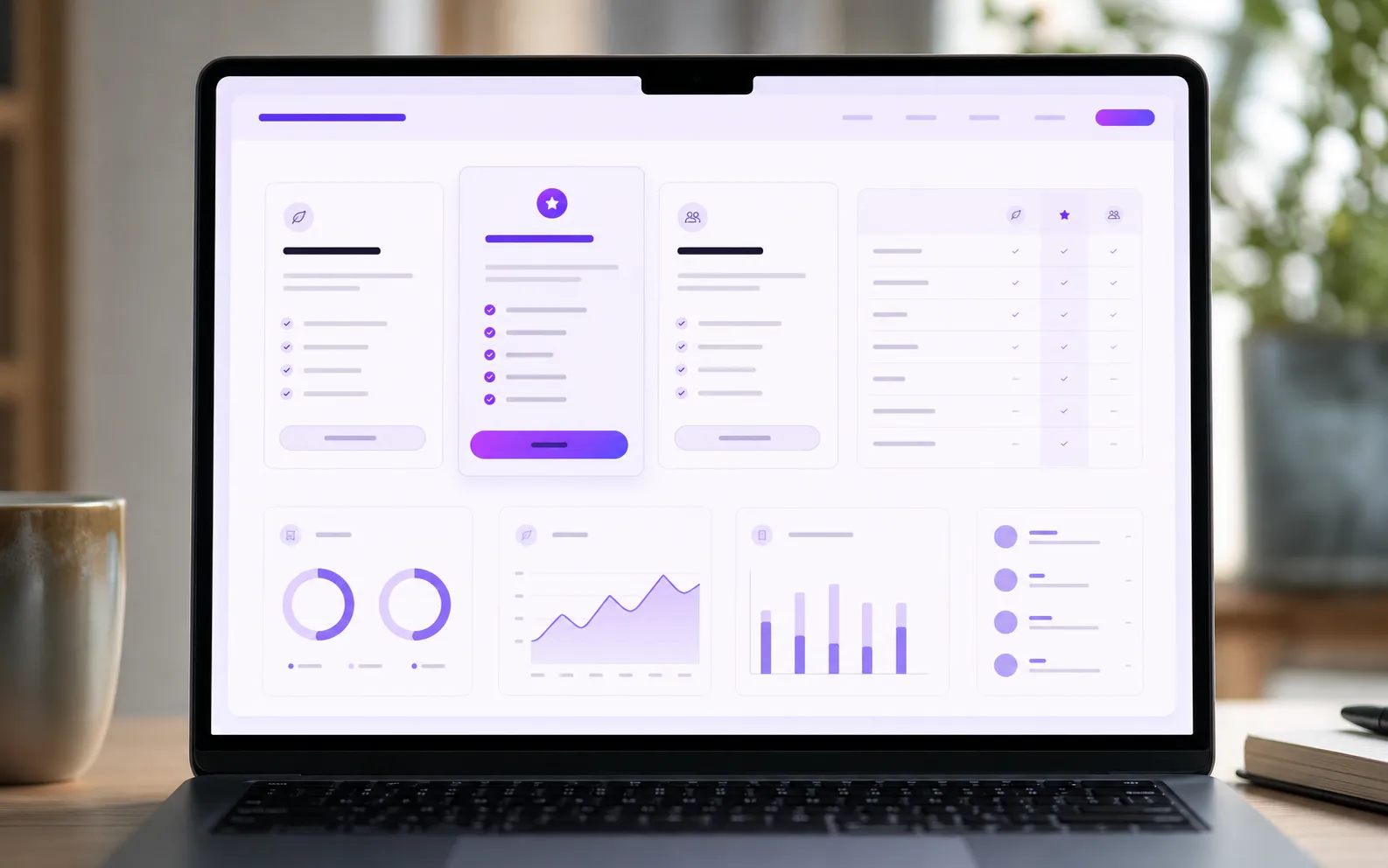
Every organisation is different, so we quote per project. Start with a pilot, then move to a subscription sized to your users.

Preview

Pilot

Prove it on your own infrastructure

On quote
  • Installed on your servers for one team
  • Connected to your directory
  • Training for pilot users
  • Success criteria agreed upfront

Subscription

For your whole organisation

On quote
  • Licences sized to your users
  • Updates and security patches
  • Support from our engineers
  • Optional managed operation in your data centre

Questions before you start?

What OrbiWorkspace includes, where your data lives, and how a pilot works.

What does OrbiWorkspace include?
OrbiDocs for documents, OrbiDrive for file storage, sharing and sync, OrbiAuth for sign-in and identity, and an AI assistant that works from your own documents, on a model you host or the provider you choose. All four share one sign-in and one security model.
Where is our data stored?
On your servers: in your data centre or private cloud, or inside an isolated network. OrbitX does not host your data and has no access to it unless you grant it.
Does it work with Microsoft Word files?
Yes. OrbiDocs opens and saves Word (.docx) files and exports to PDF and ODT. Word files stored in OrbiDrive open in the browser, can be edited together, and stay Word files.
Can it connect to our Active Directory?
Yes. OrbiAuth integrates with Active Directory and LDAP, so users sign in with the accounts they already have and your groups drive access rights.
Does the AI send our text outside?
Only if you choose to. With a model hosted in your infrastructure, text is processed on your servers and never leaves them. If you prefer a third-party AI provider, your administrators connect it and users are told where their text is processed. Either way, the assistant only draws on documents each user is already allowed to open.
Does it help us comply with data protection law?
OrbiWorkspace is designed to help you meet your country's personal data protection obligations: your data stays in your infrastructure, every operation is recorded in an audit trail, and nothing is transferred abroad unless you decide so. Compliance remains your organisation's responsibility, and we document our controls to support your audits.
What does a pilot involve?
We install the suite on your infrastructure for one team, connect it to your directory, train the pilot users and agree on success criteria. At the end, you decide whether to roll out.
Which languages are supported?
Arabic, French and English, in every app. Arabic is fully right-to-left, and a document can mix Arabic paragraphs with English or French ones.

Open Source maintainers

We contribute to and work with upstream Open Source communities — we are Open Source developers and maintainers ourselves, bringing deep technical knowledge and engineering practice to help teams build reliable, secure, maintainable platforms.

Experience and track record

Our team brings experience from the Linux and Open Source ecosystem, contributing to projects involving large-scale infrastructure, security, automation, cloud platforms, and data systems for organizations including:

GoogleOrangeCiscoNASA
Request a demo

See OrbiWorkspace on your terms

Tell us about your organisation. We will show you the suite, answer your security questions and scope a pilot on your own servers.

What happens next

  1. 1

    We contact you to understand your context and constraints.

  2. 2

    A live demo, tailored to your sector and your questions.

  3. 3

    A pilot proposal: scope, infrastructure requirements and timeline.

Prefer email? contact@orbi.cloud

We use your details only to answer this request.